Start for free and get your app to production levels immediately. No credit card required. You can sign up with your GitHub, X, Google, or Microsoft account.
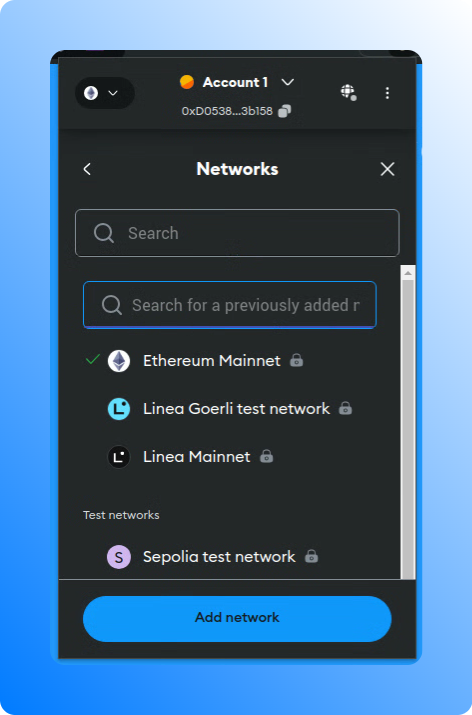
Wallets allow the addition of custom RPC endpoints either by directly modifying the settings of an existing network (e.g., Ethereum) or by adding a custom network and specifying a custom RPC endpoint.To obtain the address of your RPC endpoint, navigate to the node details on the Chainstack console and locate the Execution client HTTPS endpoint in the Access and credentials section. When adding a new network, you need a chain ID which you can on resources like chainlist.org or chainlist.wtf.
In the section Access and credentials of a Chainstack Node, press Connect wallet. This will prompt you to confirm a new network details.To add a network manually, go to Networks and add a new network with a required chain ID and your Chainstack RPC endpoint.
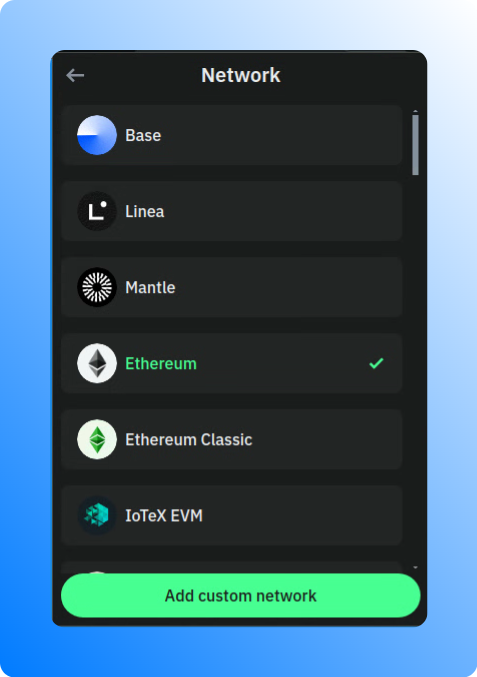
To add a custom RPC to Trust Wallet, open the wallet and navigate to the Settings section. Look for the Network section to add a custom network with your Chainstack RPC endpoint.
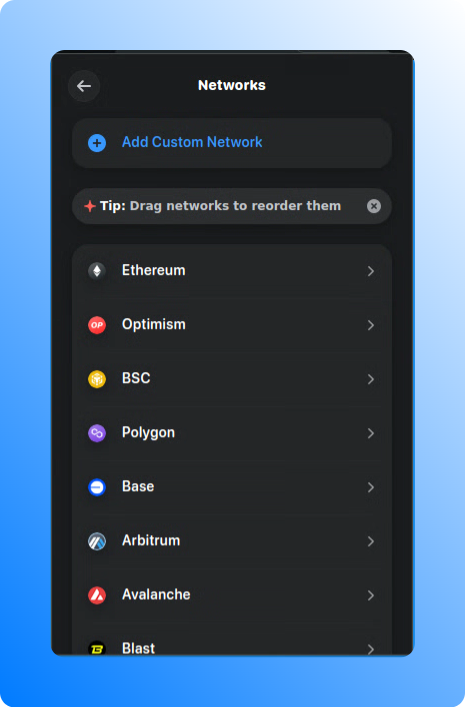
To add a custom RPC to Rainbow Wallet, open the wallet and navigate to the Settings section. Look for the Networks to add your Chainstack RPC endpoint.
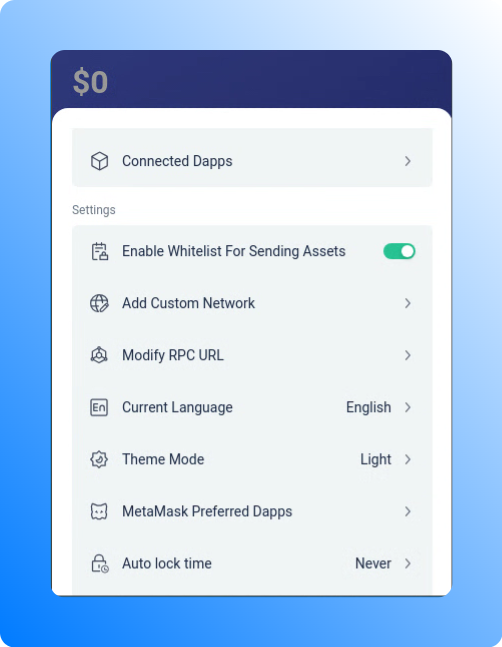
To add a custom RPC to Rabby, open the wallet and go to Settings > Modify RPC URL to replace the node Rabby uses for a chain it already supports. See Adding a custom RPC endpoint to Rabby.
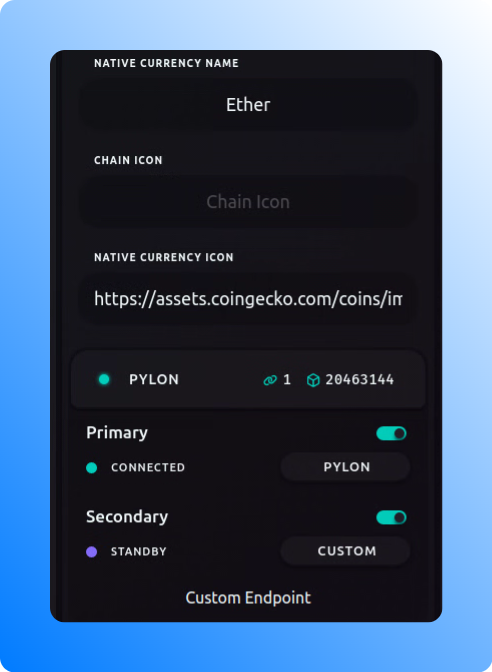
To add a custom RPC to Frame Desktop, open the wallet and navigate to the Chains section. Click on the chain details to add your Chainstack RPC endpoint.
Cloud-based IDEs provide the flexibility to use injected providers. MetaMask is the most commonly used one. By adding a Chainstack RPC node in MetaMask and connecting to the wallet in your IDE, you can seamlessly interact with the network through a Chainstack node.
To enable Remix IDE to interact with the network through a Chainstack node, you can follow these steps:
Install and set up MetaMask to use a Chainstack node for interaction. You can refer to the guide on Interacting through MetaMask for detailed instructions.
Open Remix IDE and navigate the Connect wallet button. Here, select Injected Web3 Provider and then MetaMask.
WebSockets and HTTP are essential communication protocols in web applications. WebSockets enable two-way, persistent communication between a client and a server, useful for real-time price feeds, live transaction monitoring, and event notifications. In contrast, HTTP follows a one-way, request-response model, ideal for retrieving periodic price updates and transaction histories.
Build DApps using ethers.js and Ethereum nodes deployed with Chainstack.
Install ethers.js
npm install ethers
Initialize HTTP or WebSocket provider
import { ethers } from 'ethers';// Using HTTP providerconst httpProvider = new ethers.JsonRpcProvider("/*YOUR_HTTP_CHAINSTACK_ENDPOINT*/");httpProvider.getBlockNumber().then(console.log);// Using WebSocket providerconst wsProvider = new ethers.WebSocketProvider("/*YOUR_WS_CHAINSTACK_ENDPOINT*/");wsProvider.getBlockNumber().then((blockNumber) => { console.log(blockNumber); wsProvider.destroy();});
Build DApps using web3.py and Ethereum nodes deployed with Chainstack.
Install web3.py
pip install web3
Initialize HTTP or WebSocket provider
from web3 import Web3# Using HTTP providerhttp_web3 = Web3(Web3.HTTPProvider("/*YOUR_HTTP_CHAINSTACK_ENDPOINT*/"))print(http_web3.eth.block_number)# Using WebSocket providerwith Web3(Web3.WebsocketProvider("/*YOUR_WS_CHAINSTACK_ENDPOINT*/")) as ws_web3: print(ws_web3.eth.block_number)
Build DApps using Nethereum and Ethereum nodes deployed with Chainstack.
Install Nethereum
Initialize HTTP or WebSocket provider
using Nethereum.JsonRpc.WebSocketClient;using Nethereum.Web3;namespace TutorialWeb3{ internal class Program { static void Main(string[] args) { // Using HTTP provider var httpClient = new Web3("/*YOUR_HTTP_CHAINSTACK_ENDPOINT*/"); var httpBlockNumber = httpClient.Eth.Blocks.GetBlockNumber.SendRequestAsync().GetAwaiter().GetResult(); Console.WriteLine($"HTTP Block Number: {httpBlockNumber}"); // Using WebSocket provider using (var wsClient = new WebSocketClient("/*YOUR_WS_CHAINSTACK_ENDPOINT*/")) { var web3Ws = new Web3(wsClient); var wsBlockNumber = web3Ws.Eth.Blocks.GetBlockNumber.SendRequestAsync().GetAwaiter().GetResult(); Console.WriteLine("WS Block Number: " + wsBlockNumber); } } }}
To deploy your contracts using the Chainstack endpoint, you can create a deployment script in the scripts folder, for example deploy.js:
const hre = require("hardhat");async function main() { // Retrieve the deployer account from the list of signers const [deployer] = await hre.ethers.getSigners(); console.log("Deploying contracts with the account:", deployer.address); // Load the contract factory from the contracts folder const Token = await hre.ethers.getContractFactory("MyToken"); // Replace "MyToken" with your contract name // Specify the initial supply for the token (adjust as necessary) const initialSupply = hre.ethers.utils.parseUnits("1000", 18); // Adjust the supply and decimals as needed // Deploy the contract and wait for it to be mined const token = await Token.deploy(initialSupply); await token.deployed(); // Output the contract address and transaction hash once deployed console.log("Contract deployed at address:", token.address); console.log("Transaction hash:", token.deployTransaction.hash);}// Execute the main function and handle potential errorsmain() .then(() => process.exit(0)) .catch((error) => { console.error("Error during deployment:", error); process.exit(1); });
Compile the contracts
npx hardhat compile
Use the appropriate network flag (mainnet or devnet) to deploy to the respective network
npx hardhat run scripts/deploy.js --network devnet
Note: by default, Scaffold-ETH 2 uses Alchemy RPC nodes and it assumes the config contains an Alchemy API key. We can override this setting Chainstack RPC nodes and updating some other configs.
Modify the packages/hardhat/hardhat.config.ts file to configure the Chainstack endpoint. Locate the networks section and add or modify the configuration for the Chainstack networks
const config: HardhatUserConfig = { solidity: "0.8.20", // Ensure to specify the correct Solidity version networks: { mainnet: { url: process.env.CHAINSTACK_MAINNET_ENDPOINT || `https://eth-mainnet.g.alchemy.com/v2/${providerApiKey}`, // Use the Chainstack mainnet endpoint // accounts: [process.env.DEPLOYER_PRIVATE_KEY_MAINNET as string], // Mainnet private key }, sepolia: { url: process.env.CHAINSTACK_DEVNET_ENDPOINT || `https://eth-sepolia.g.alchemy.com/v2/${providerApiKey}`, // Use the Chainstack devnet endpoint // accounts: [process.env.DEPLOYER_PRIVATE_KEY_DEVNET as string], // Devnet private key }, // ... other network configurations },};
Compile contracts using Hardhat
cd packages/hardhatyarn hardhat compile
To deploy your contracts using the Chainstack endpoint, run
yarn deploy --network sepolia
To start the Next.js app with the Chainstack configuration
Configure Truffle to deploy contracts using Chainstack Ethereum nodes.
Install Truffle and other dependencies
# Initialize a new npm projectnpm init -y# Install Truffle as a local development dependencynpm install --save-dev truffle @truffle/hdwallet-provider dotenv
Configure environment in Truffle
Initialize a new Truffle project:
npx truffle init
Create a .env file in your project root and add your Chainstack endpoint and private key:
Configure Ape Framework to deploy contracts using Chainstack Ethereum nodes. Before performing the following steps, you can set up and activate a virtual environment.
Install Ape and dependencies
pip install eth-ape
Configure environment in Ape
Initialize a project:
ape init
Create or update your ape-config.yaml file in your project root:
name: ape-1contracts_folder: contracts # Default is contractsdefault_ecosystem: ethereum # Default is ethereumnode: ethereum: mainnet: uri: CHAINSTACK_MAINNET_ENDPOINT sepolia: uri: CHAINSTACK_SEPOLIA_ENDPOINTdependencies: - name: OpenZeppelin github: OpenZeppelin/openzeppelin-contracts/token/ERC20/ERC20.sol # Example version: 4.4.2
Import an account. You’ll be prompted to enter a private key and pass phrase to encrypt it.
ape accounts import devnet_deployer
To deploy your contracts using the Chainstack endpoint, you can create a deployment script, for example scripts/deploy.py
from ape import accounts, projectdef main(): # Load the account for deployment # Change 'devnet_deployer' to 'mainnet_deployer' when deploying to mainnet account = accounts.load("devnet_deployer") # Deploy the contract contract = account.deploy(project.MyContract) # Replace 'MyContract' with your contract's name and add its arguments # Output the contract address print(f"Contract deployed at: {contract.address}") # Output the transaction hash print(f"Transaction hash: {contract.txn_hash.hex()}")if __name__ == "__main__": main()
Compile contracts. Before deploying, ensure your contracts are compiled. Ape automatically compiles contracts when deploying, but you can manually compile them if needed
ape compile
Run the deployment script using
ape run scripts/deploy.py --network ethereum:sepolia
Ensure that your terminal session loads these environment variables. You can manually source the .env file:
source .env
Update the brownie-config.yaml file in your project root:
dotenv: .envnetworks: default: development chainstack-mainnet: host: ${CHAINSTACK_MAINNET_ENDPOINT} chainid: 1 explorer: https://etherscan.io chainstack-devnet: host: ${CHAINSTACK_DEVNET_ENDPOINT} chainid: 1337 # Example chain ID for devnet; adjust if different
To use your private key for deployments, you can create a scripts/deploy.py file:
import osfrom brownie import accounts, Counter # Replace 'Counter' with your contract's class namedef main(): # Load the deployer's account using the private key from the environment variable acct = accounts.add(os.getenv("PRIVATE_KEY_DEVNET")) # Use PRIVATE_KEY_MAINNET for mainnet # Deploy the contract (Replace 'Counter' with the actual name of your contract) contract = Counter.deploy({'from': acct}) # Output the contract address and transaction hash print(f"Contract deployed at: {contract.address}") print(f"Transaction hash: {contract.tx.txid}")
To deploy your contracts using the Chainstack endpoint, run
brownie run scripts/deploy.py --network chainstack-devnet